Using the shipped components
Sen allows you to create your own components, but there are some common needs that are present in all projects. Maybe you will experience them during development, testing or in production, but they will be there.
What ships with Sen
Sen ships components you load rather than write.
- A full-screen terminal for interacting with the components and objects that are running in a process: term. It is in beta, and it replaces the shell below.
- A command-line interface that does the same, which you can also connect to remotely: shell. It will be deprecated in 0.8.0; use term for new work.
- A graphic user interface to explore the set of components, objects and their interactions in an easy way. This component is called explorer. It will be deprecated in 0.8.0.
- The same thing in a browser, served by Sen itself: the web explorer. It is in beta, and it replaces the explorer above.
- An optimized inter-process communication over ethernet networks. This component is called ether.
- A recorder to store what happens in a process: objects, types, property changes, events, keyframes, etc.
- A replayer to playback whatever you have previously recorded.
- An embedded Python interpreter with full access to the Sen world, for tests, orchestrators and functional logic.
- A gateway to InfluxDB, which can be connected to Grafana to inspect and analyze data.
- A REST API for interfacing with non-Sen systems.
- A JSON-RPC server over WebSocket, with a TypeScript client for browser and Node applications.
- An MCP gateway that lets a Large Language Model observe and drive a running
Sen kernel, and inspect offline recordings. Unlike everything above it is not loaded inside the
kernel: it is a separate first-party app that fronts the
jsonrpccomponent. - A connector to the Tracy profiler: the Tracy component.
- A helper for controlling and configuring your debug logs: the log master.
Moving components between processes
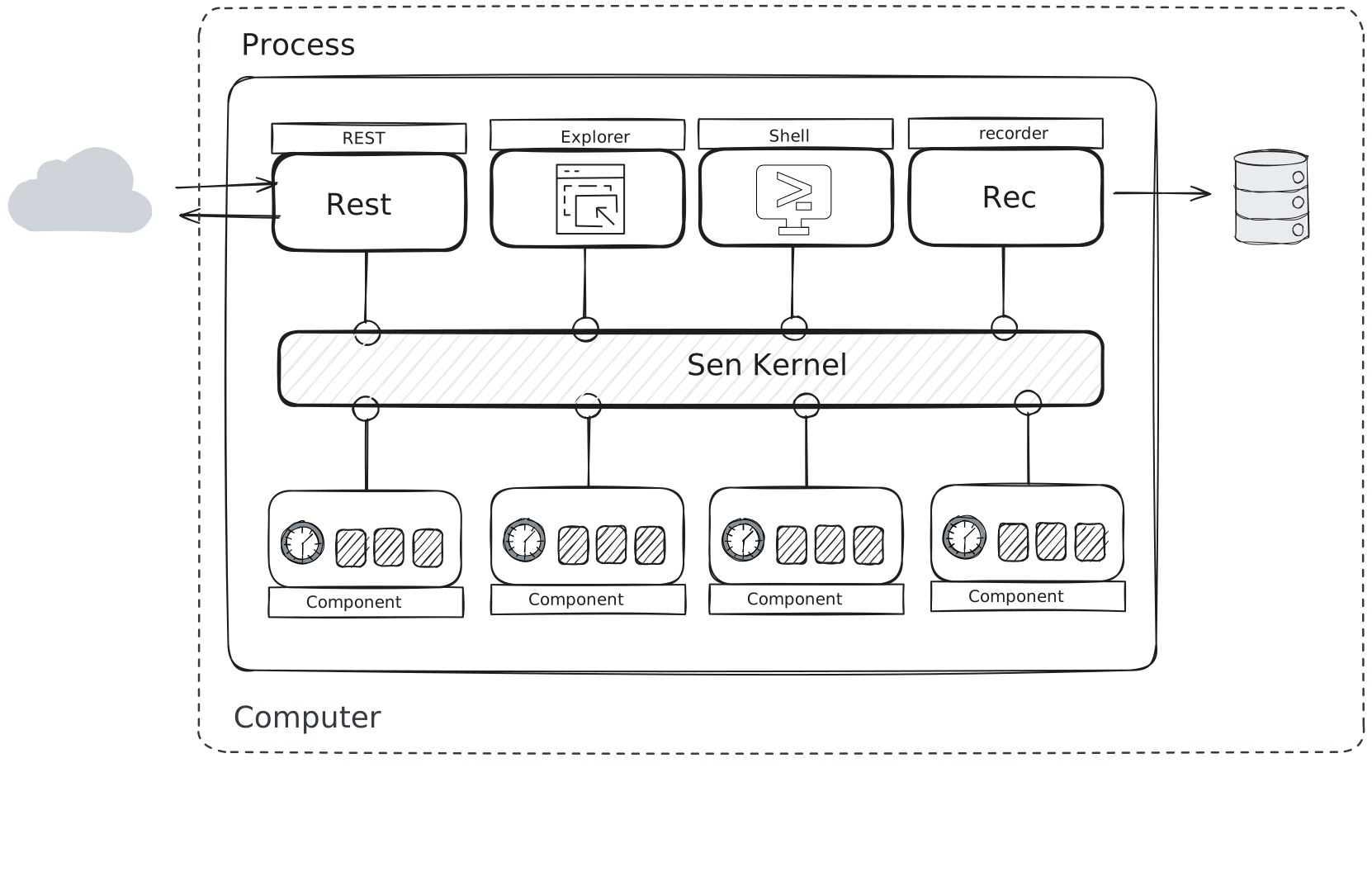
Let's take an example. Imagine that you have a system made of four functional components, and you want to have the ether component to allow them to interact with other systems. You need the term during development to test your functionality. The explorer also helps you visualize what's going on and monitor the execution. The REST helps you by allowing a script to stimulate and test your system. Finally, you also sometimes store the execution data using the recorder component.
Your system might look like this:

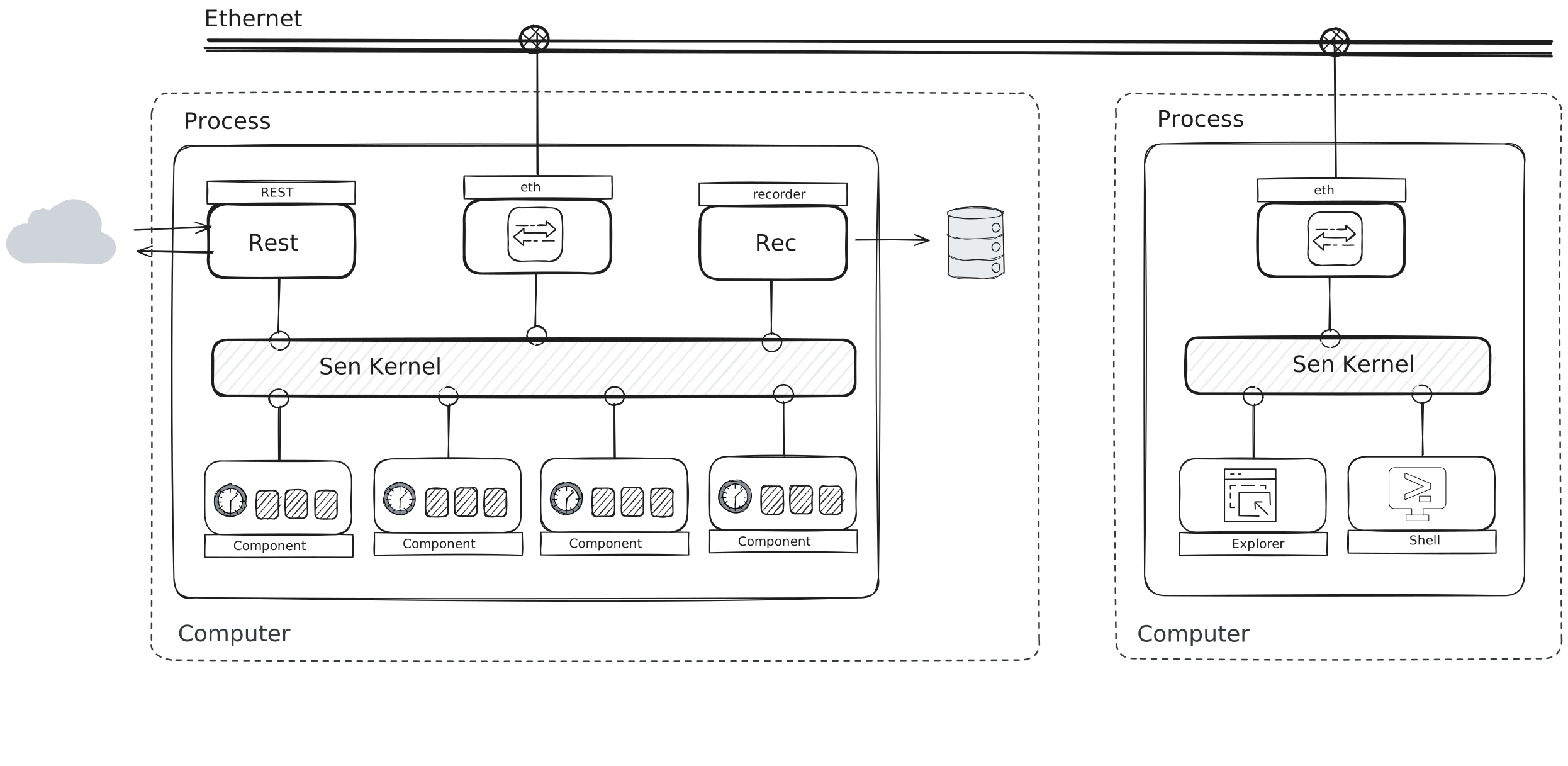
This is fine during development, but you also start to see that you need to test your system a bit more independently of the tools that you use during development. For that, you can simply change the configuration file and move the explorer and term components to a different process.
To get the two processes to see each-other you need to instantiate the ether component in both.
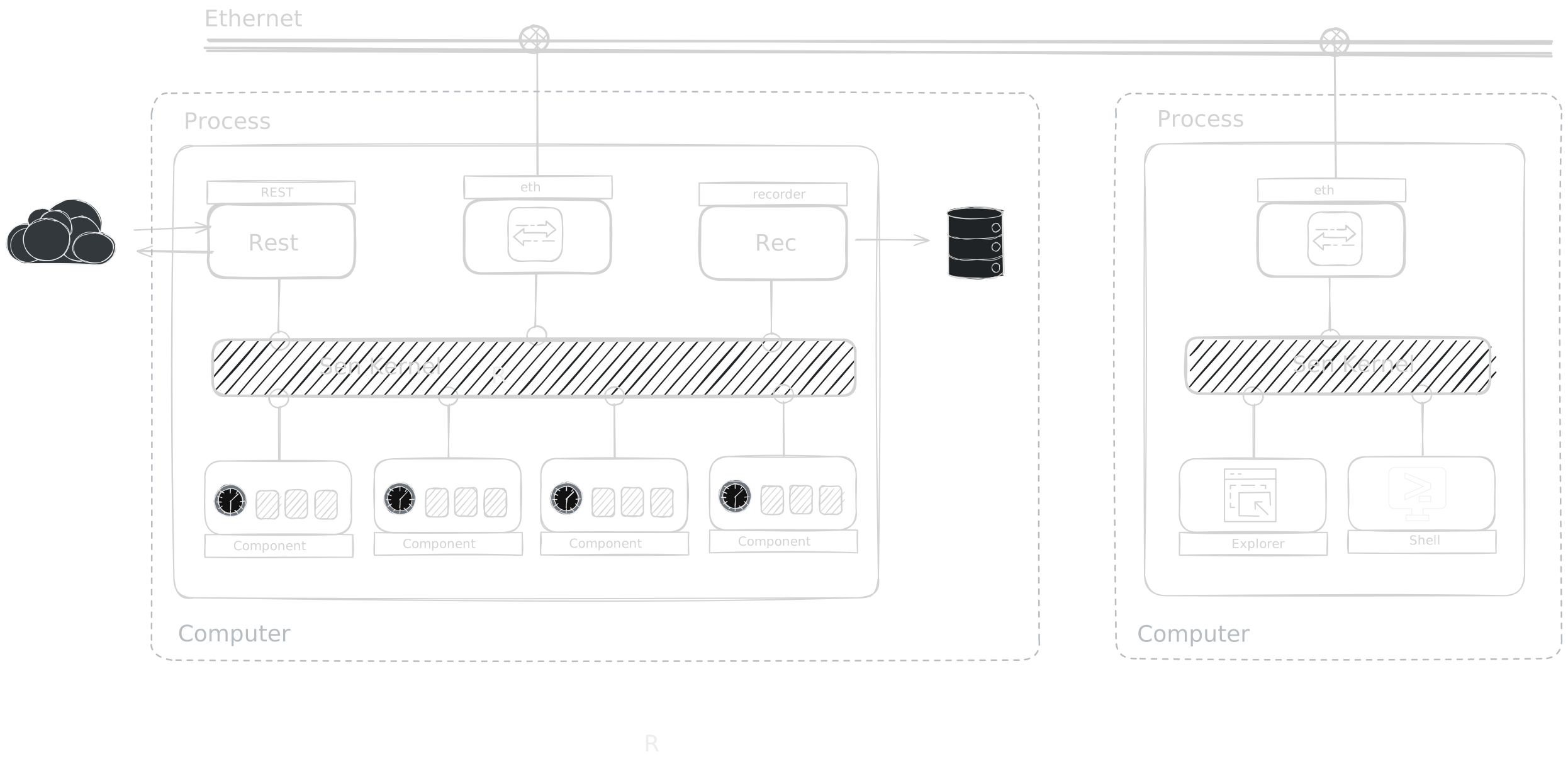
The monitoring tools can now be started and stopped without touching the system. They cost something to run, so move them to a second computer and the system keeps going on its own. That is two machines to deploy and watch, which is where containers start to earn their place; this page does not go into that. Later you notice the machine running the functional components has the wrong storage for recording: too small, or too slow.
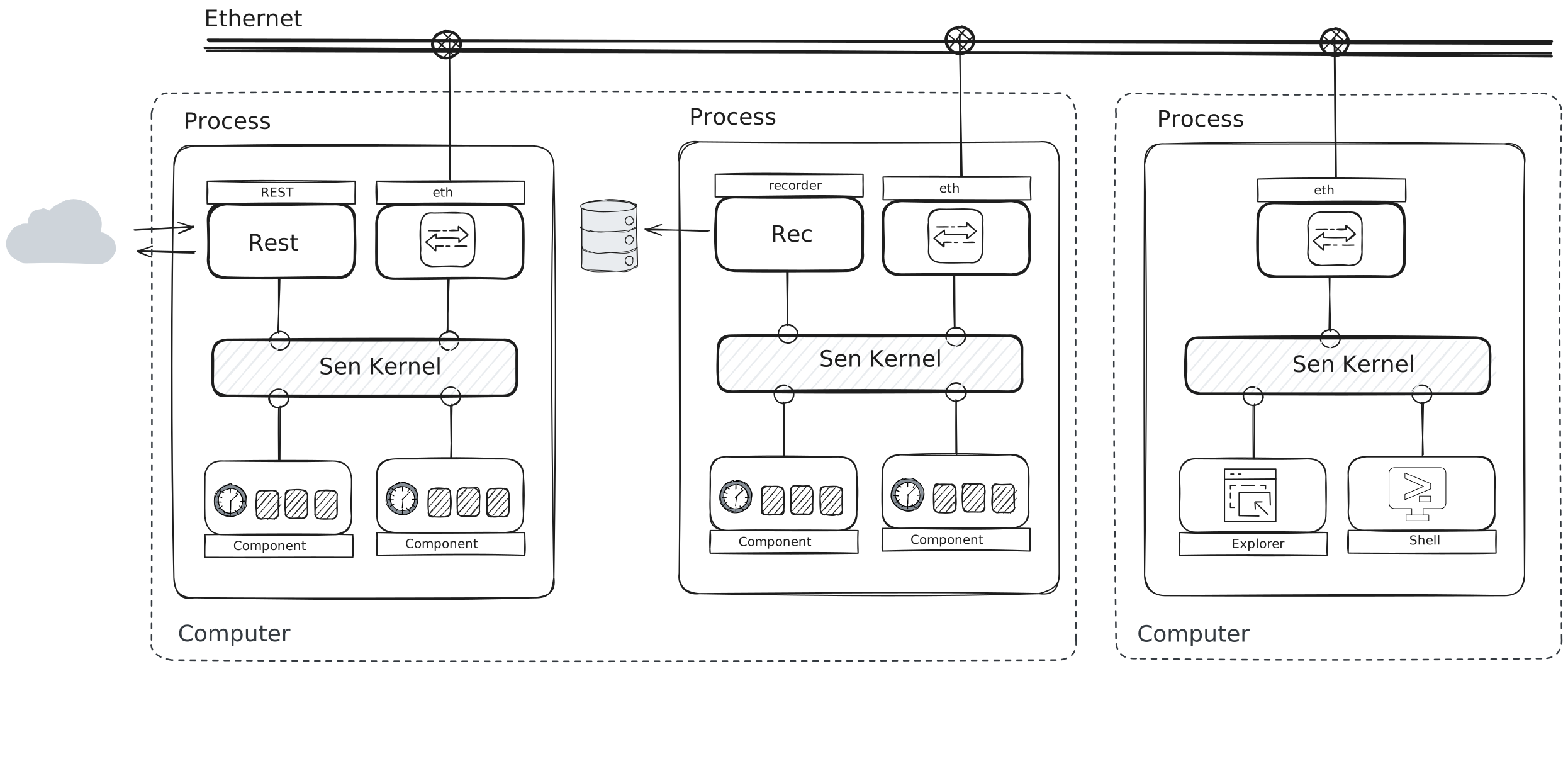
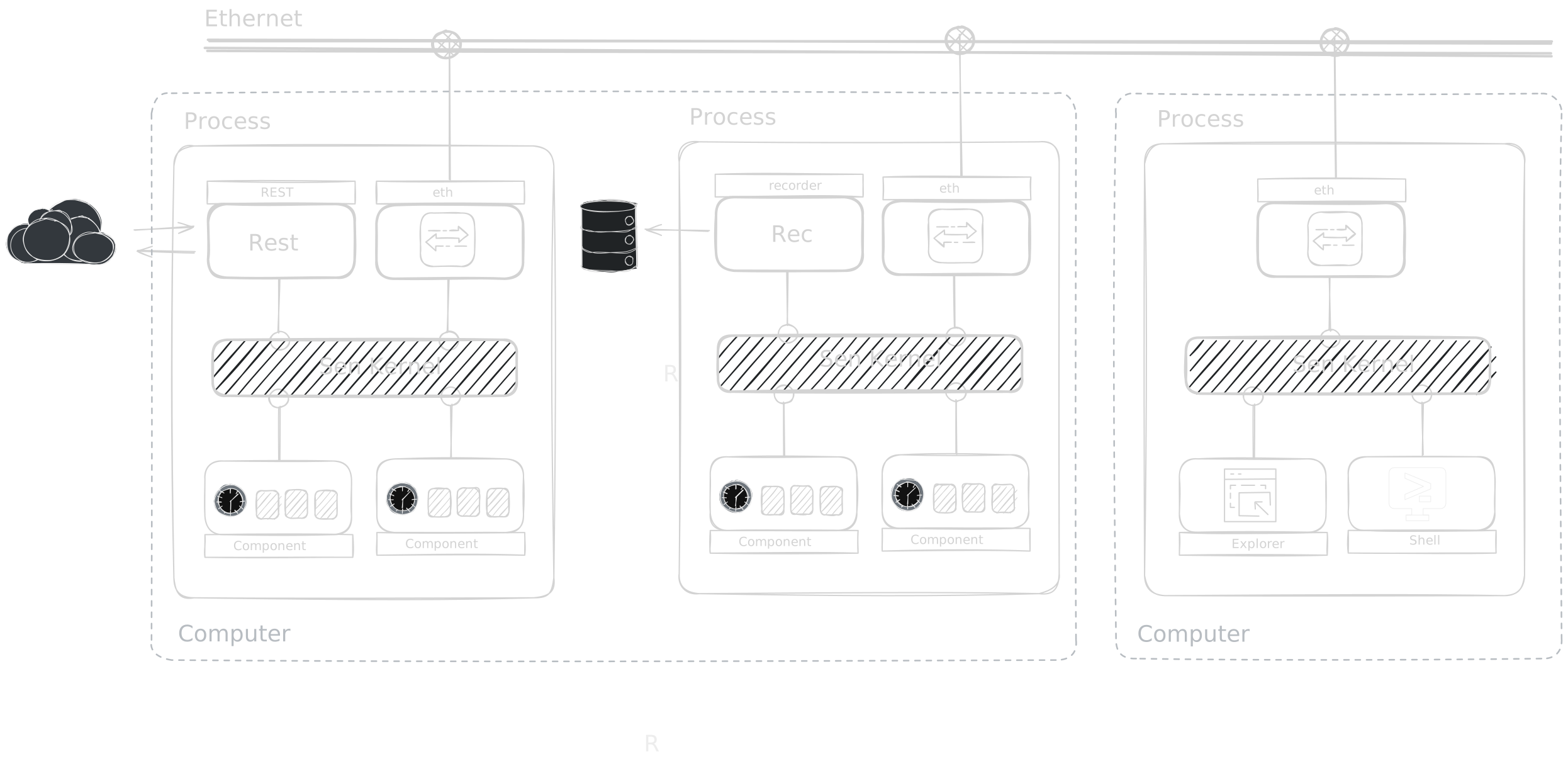
We can have a dedicated computer for doing the archiving and have it as an optional element in our setup. So, we modify our configuration file accordingly.

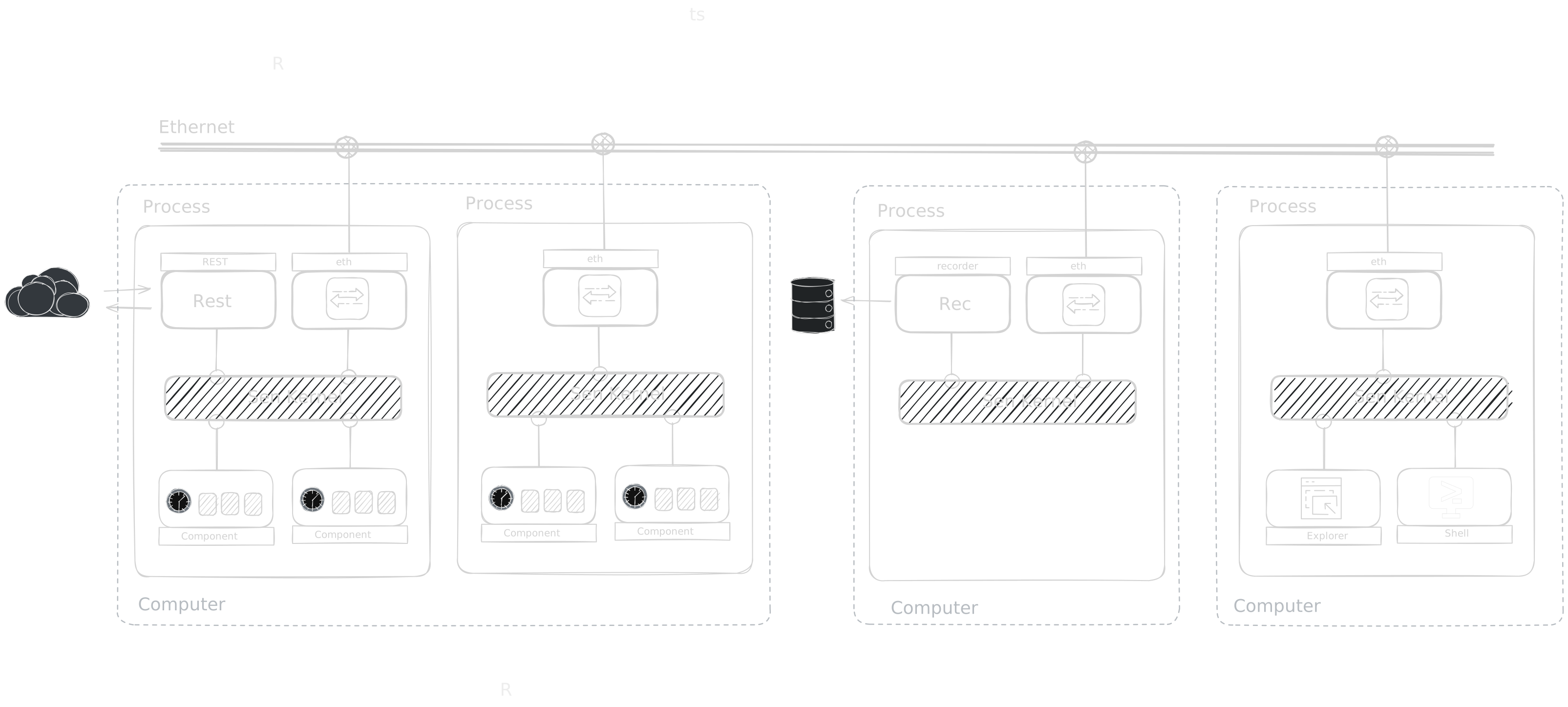
The shipped components mix with your own, and each one can sit wherever you need it.